
How to use a looper pedal with acoustic guitar
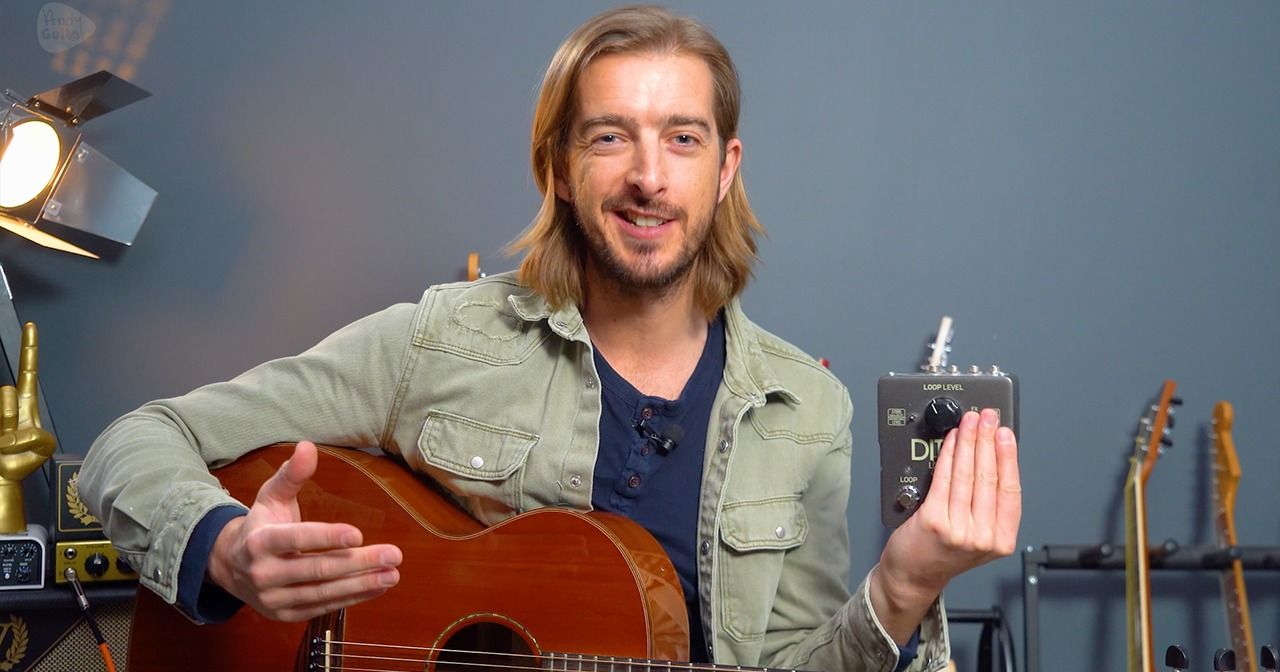
In this video, I'm gonna be showing you how you can get started with a looper pedal. We're gonna be covering the basics about how we can actually play in time and use this looper pedal, and also some ideas that lend themselves really well to using a looper pedal with an acoustic guitar. Now this is a little bit trickier than perhaps it is for electric guitar, because we need a couple of things to use a looper pedal with an acoustic guitar. First of all, we need an acoustic guitar. That can plug in with a jack lead, like so. So therefore it needs a pickup system. This Faith acoustic guitar has a pickup system with a microphone as well, and that two sources with a pickup system tends to sound better. It gives you more options. You can, of course, get pickup systems fitted and separate if your guitar doesn't have one, but it's something to bear in mind that we do absolutely need that. The second thing we're going to need is something to hear. loop back with. So, an acoustic guitar amplifier would be superb. Another option, and the one that I'm using here is just recording straight into my computer. I'm using a Focusrite Scarlett 1818, and hearing that sound back through my studio monitors. That is another option, but when we're using a looper pedal with an acoustic guitar, we do need some sort of amplification. We need some speakers to hear it back from. With an electric guitar. Of course if you play electric guitar, you probably have an amplifier, so in many ways that complication is, is taken away, and if you've not got that with an acoustic guitar but you do have an electric, you can try it with an electric and just get started with whatever you have and see whether this is for you and see if this is what something you want to explore an acoustic as well. That being. Said, with the looper pedal itself, I've got a ditto x 2 here, that wouldn't be needed to make the most of, of having a looper pedal. In fact, all you would need is a looper pedal with one button, so even the absolute cheapest looper pedal that you can find would be appropriate to get started with. The TC Electronics series is Absolutely fantastic. The Boss series is superb as well, and they offer a whole range of options, but to get started and again to see whether this is for you, a one button looper pedal is absolutely fine. So with all that covered, let's get started and plug this in, and let me show you my advice to make the most of using a looper pedal, especially with acoustic guitar. So here we are, this is my ditto x 2 looper. Um, if you only have a 1 button looper, it will basically look like that, and it's exactly the same. Ins and outs first of all, we've got the yellow cable, uh, in the input, ooh whoopsie daisy, and we've got the orange cable into the output. The other ins and outs, uh, are just to make this stereo, which would only be needed if you were using, um, effects before the looper. And it, it's, it's, I, I don't think that's very applicable to most people. I think the uh one in and one out will suffice for most people. So always check the specs of the specific loop you're looking at uh before you buy that kind of thing, before you spend your money. Um, so we've got the loop here which will start and stop a loop, and we also have a red button to show us that we're recording, red light on means we're recording. That records for as long as we like until we press it again, and that stops the loop and then immediately loops it. We can see that the red light defaults to being on. To turn that red light off, we press it again, and that makes it green, and that means that the recording has stopped, but the loop's gonna still be going. So let's have a look at that. So to get started, I recommend just playing one chord and trying to get a loop of one bar going with a looper pedal. Probably as a minimum requirement, a good starting point would be the C. If you can't play a C chord pretty well, you probably don't want to be looking at a looper pedal for now. It's probably something to come by. Back to and revisit later, but if you can play a C chord, what I'd recommend doing is actually just strumming that on the beat first, and this can be something that you do with whatever you want to play in a looper when you're first getting used to it. Otherwise, there can be a slight gap between pressing record with our foot and strumming basically. So, 4 would be 1 bar, and I'm just gonna keep strumming that. And as a practise Just tap my foot, but on beat one of that bar, so 1. And then I'm going to record a loop. 3 1, And then that's going to keep going, that loop is is now created, it's just a cycle of a recording that I've just made. Now straight away, that red light is still on my looper pedal just here, and it flashes when the loop starts and ends. Just to tell me where to start is, if I wanna play anything else but not record it, press that same button again and we get a green light. Green light means I can play anything. And it's not going to record, as soon as I press that button again, it's gonna go red and anything that I play would get recorded. Now when we listen to that loop, we can tell. It just sounds like it's on the beat, it's just repeating the same thing. To stop that on a single looper, we'd have to double tap that button. On my looper you can press this one and when we've got the stop button pressed, we can just stop it there, but I'm gonna commonly do the double tap just to show you guys with the one button how you would use this because that's what most people are gonna have. The Ditto X2 isn't particularly needed. For most people, but that one button stop is very, very handy and one of the main reasons I went for it. Now the really cool thing about a looper is we can actually add percussion to our loops and and our rhythms, uh, because the acoustic guitar pickup and microphone system will pick up any kind of hits or taps. That we do with our instruments, so if I get that loop going again. Press the record button. And we'll do a kick and a snare pattern using our guitar. And now we've got, we've got a little drum beat going, so you don't even have to overcomplicate it with playing lead or anything like that. We've got a rhythm there. Let's add another layer in now, just with one note, which is gonna be the C note, the first finger note of a C chord, so that's second string with a C chord, and I'm just gonna play this muted pattern. And we'll record that. So there you can see we can even just play one chord on the beat and add lots of interesting stuff. Now what this means is even when you're just practising at home, you have a jam buddy and an infinite amount of jam buddies actually, cos you can record an infinite amount of layers on most of these things. A very useful thing this can be is creating your own jam tracks to practise kind of lead guitar jamming. Uh, with, so seeing as we've played the C chord, it would be normal to use the C major scale over that. This is a very major happy sound, so we're not thinking minor pentatonic here. We're thinking C major scale, and a common thing to do. would be to use the open position C major scale. There are many other things that we can do as well, but that would be the first one for beginners. Let's set the loop going again. Even just playing basically in scale order. Creates some really cool effects, and that's where I would be starting. So to recap on what we've done so far, because we can add so many layers to this, it can be really instant, but we can get carried away quite easily. But you can hopefully see the capabilities of this just so early on as well. If you haven't played rhythm guitar chords with some element of foot tapping, this is going to be really difficult for you. So the first thing to practise would be any songs or chord progressions that you feel confident with, try it with foot tapping. So maybe something like, you know, down. With that foot tapping. And as, as a minimum requirement, tapping on the first beat of the bar, which is a lot easier. That is perfect practise for using a loop pedal, cos that's exactly what we have to do. Uh, secondly, to begin with, you don't want to make your loops too long. A common thing to do with this is to play a 12 bar blues on acoustic. The most acoustic guitar friendly key for 12 bar blues would be E, so you're using the chords E, A, and B7. What will normally happen is you'll start off quite slow and you'll speed up by the end of it, and also if you, uh, if your loop is a little bit out of time, there could be a gap or anything like that, and that's more likely with longer rhythms because there's just more amount of time for things to go wrong, basically. Um, it shouldn't stop you attempting those things, but what we really want to do at this point is introduce using a metronome. When I was playing one. I was imagining that I'm playing to a Metronome, and if you're not used to doing that at all, it's going to be really highlighted by a loop pedal. So to give you an example of that, I'm going to use a Metronome app on my phone. All we're gonna do is use this. To make sure what we're playing into the looper pedal is in time. Once we've got our loop going, I'm gonna stop the metronome because it's, we don't expect it to be aligned after that, but it does make sure that we're playing to the right tempo or BPM. This is 100 BPM. And I'm going to play 8 strumming with parm muting. Like that, so we have 2 strums per click, 12341 and 2 and 3 and 4, and let's do a 2 bar loop this time. So I've cancelled what I've got in the looper pedal already, I'm gonna press play, start playing the guitar, and then record the loop for 2 bars. 1234. So all that does is make sure that what we're recording in is in time and if you were doing loops over 4 bars or over 2 bars, that might be something that's really, really useful for you. I think that's really useful with these looper pedals is we can also take away those loops after we've recorded them. So say I've got this part playing. And then I record something else. But then for whatever reason, I'm just like, oh that's out of time, I don't like it, you know, I messed up. Hold down the loop for about 12.5, 1 2nd or so. And it's gone, and now I can play that same thing again. And to get rid of it, Hold it down and it's gone. Another common thing that people use looper pedals for is practising their blues lead or blues improvisation. Uh, again, if you're new at this, I recommend sticking to one bar or a 2-bar loop rather than the whole 12 bars perhaps, but let me give you an example of how we can do that. The first time that I came across a looper pedal being used with an acoustic guitar was the uh Katie Tunstall performance that she did back in the mid 2000s of Black Horse and the Cherry Tree on Jules Holland. Let me do something in that style, just to give you an idea of, of something uh a little bit different. Funking it up a little bit So there you go, funking it up a little bit, but again, this is just to show you how instant it can be, how much you can throw some ideas, and anything that doesn't work, just take off that loop or start again, cos it's so quick to build up, it should be loads of fun. So my top tips for getting started with a looper pedal, particularly with acoustic guitar, first of all, start simple, start with a one button looper, you don't need drum loops, you don't need lots of extra things, we've actually got so much of that kit. Capability with the acoustic guitar itself, just by tapping and hitting and making your own loops with the guitar. Playing in time is the most important thing. practising foot tapping, at least tapping your foot on beat one of the bar, is essential because it's a skill we need to be able to get loops going to improve that skill, use a metronome, and you can even use a metronome while you're recording the first loop, turn it off while it's looping after that, and then you Know that your loop is in time. If any of your loops go wrong, you can erase the last loop that you did, using the ditto looper pedal and most other loop pedals, or sometimes you just have to admit that you got it wrong and you've got to start again. This technique is so instant, you don't have to worry about messing up cos it's very quick to get another loop going, it's no problem at all. And finally, if you're really trying with this, but just nothing's happening and you feel like you may not ready for this yet. It is absolutely paramount to, as part of your practise routine, play along to the original recordings for the songs that you know, and even just practise tapping in time to songs that you know, again, sometimes the metronome or the loop pedal can be a little bit daunting and it's a little bit crazy, but this skill of hearing the beat in songs and hearing where the bars are, wants to be something that you kind of can't turn off. It's always there in the back of your mind, whenever you hear music. You can hear that beat, that's what we're working towards, and then you know that you're ready to use a looper pedal and to start experimenting a little bit more, which is when all of this gets so much fun, so I hope that's been useful to you and I wish you all the best with your looper pedal journey.
In this video
Andy walks through everything you need to know to get started using a looper pedal with acoustic guitar.
We start with the absolute basics, then we look at just some of what is possible for beginners and advanced players alike when we use a looper pedal with acoustic guitar.
Which looper pedal is right for you?
I recommend getting started with a simple one button looper pedal. This is cheapest option that also has all the features and functions to follow everything in this course.
See some links to recommended one button looper pedals below;
TC Electronic Ditto Looper
Boss RC-1 Loop Station
Beyond one button loopers, there are countless options on the market. All that matters is to get one that has the specific features you need. Some useful features to look out for (only if they apply to you!);
Jam track/ drum track capabilities (though amps such as the Positive Grid Spark offer these built in already!)
Multiple inputs on separate channels - needed to record and loop vocals or multiple instruments that can be brought in and out
Export loops - Useful if you want to save any cool loops you make. Transfer audio files to your computer via usb etc
The super advanced option is to loop via a laptop with Ableton and have complete control over your loops with a trigger pad. We won't be going anywhere near this on this course, but that is where this kind of thing can lead to and it's very cool!
The super advanced option is to loop via a laptop with Ableton and have complete control over your loops with a trigger pad. We won't be going anywhere near this on this course, but that is where this kind of thing can lead to and it's very cool!
Some useful links to start looking at more advanced loopers;
Boss Looper Station range (official website)
TC Electronic looper range (official website)
Complete guide to looper pedals (Andertons official website guide)